
No, nana, your pipeline sucks!!
"Unauthorized. The secrets MyDummyKey: **** is expired.
You know by heart the secret it is complaining, is working fine, it isn't expired, and so it msut work well. It worked on your terminal, so does it have to work on pipeline too ;)
Often time, we encounter the moments where we need to debug failed pipelines, build failures and so on. Specially, I had encountered such scenario where pipeline fails with error message saying 'your key \*\** is expired', while I know, it is not expired. So, you want to see, what values it is fetching from Azure Key Vaults?
But, But, But, What?
Azure, Microsoft (as my friend says, it's shit), won't let you see the secrets values. Why? obvious reason bro, it's secret....ssshhhhhhh (BTW, Nepali text in featured image says, "I am telling you this, BUT, Don't tell this thing to anyone, please/svp/...)
I got you. I accidentally, exposed the SECRETS fetched from Azure Key Vault by pipeline. Cool, I am afraid that if Microsoft came to know about this secret, they might fix it and let us suffer again. Anyway, too much talk (that's what I do, apparently), let's see it in action.
Pre-requisite/ Assumptions:
-
Azure subscription with Key vaults having some secrets to fetch
-
Azure Devops Organization --> Projects
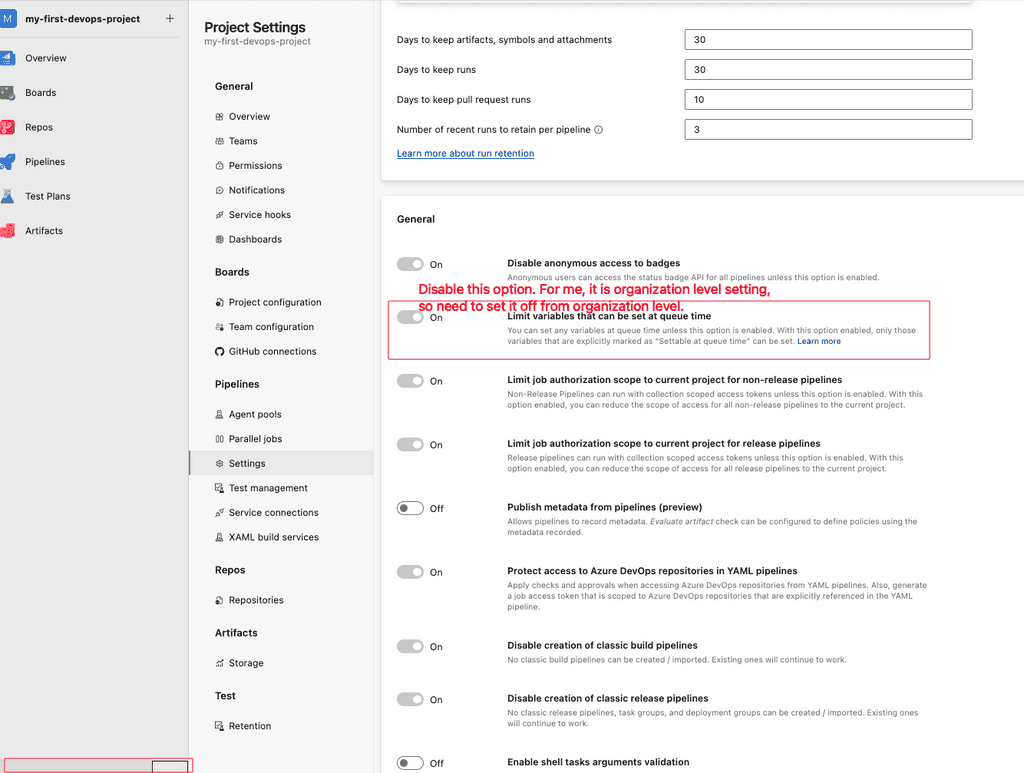
- Project level settings --> Limit variables that can be set at queue time: **OFF**
- sometimes, it is inherited from organization level, so OFF it (it has it's own security implications): Organization Settings --> Limit variables that can be set at queue time
On Organizational level:
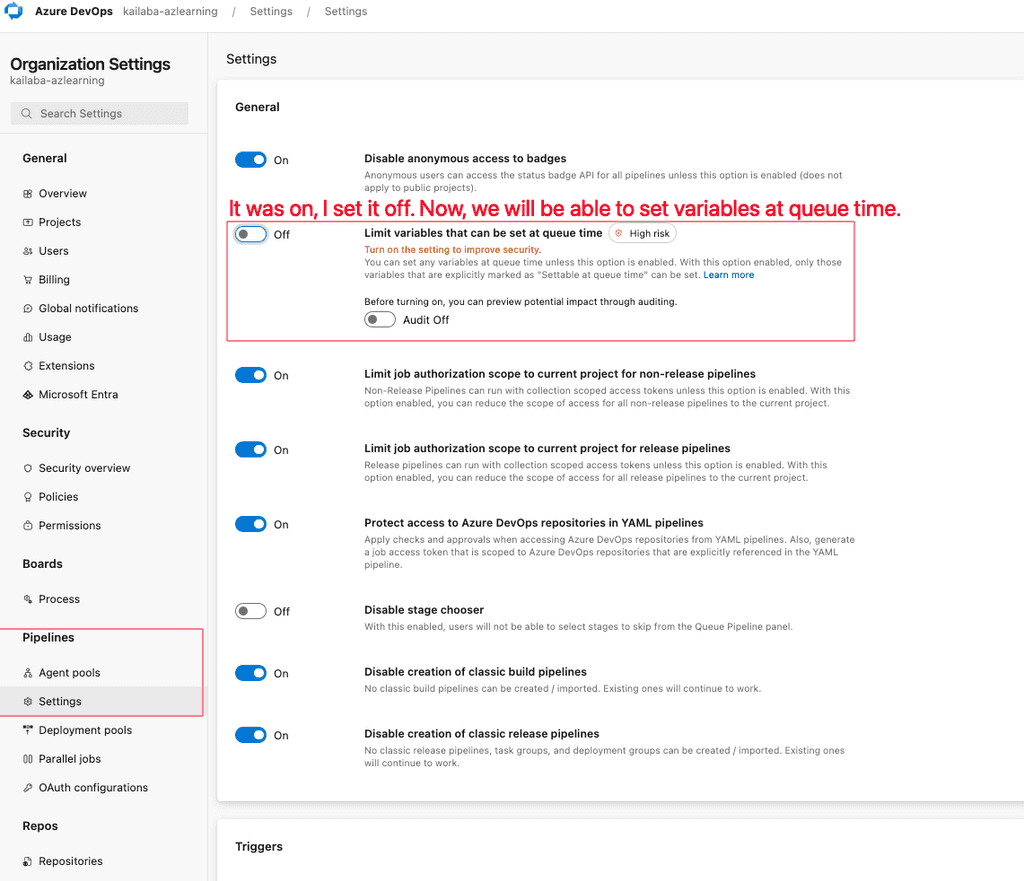
YOU MUST TURN IT OFF, IF YOU HAVE ENABLED IT FOR DEBUGGING PURPORSE.
- Service Connection to connect to Azure Key Vault
- Curiosity to learn
alors, on y va!
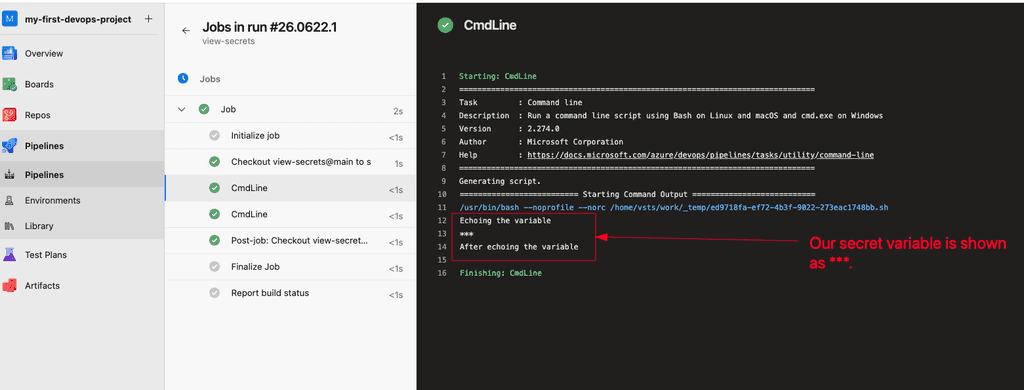
If we try to echo secret variables/secrets, they are shown as \*\**. So, I won't talk you about all this. I tested different cases, I will leave them below just for reference purposes.
So, Once the settings `Limit variables that can be set at queue time\` is OFF, then we can arbitrarily override any variables during pipeline runtime. I was debugging on a pipeline build failed case, but was unable to figure out what's wrong actually going on here. The SonarQube token variable used was marked as expired on the pipeline, but I checked it locally, and it was working well. So, it's not the issue.
Then, I tried overriding the secret key (SONAR_TOKEN) and the pipeline failed with an error which was what helped me debug things.
Accidentally, Azure Devops complained me that, the system read-only variable with value "this is secret value" can't be override.
Voilaa.... that is what I was needing exactly. I found it, and got to know the fetched value was also the correct one.
This way, you can view the secrets on your pipeline build log... but, be cautious and do this on absolute need of debugging... Else, you know well what are you doing.
\[ I will add image here, once I get it... couldn't create Azure Key vault on my student azure account ].
Update: I came to know about Managed Identity and we can Create one without Microsoft Entra ID app registration to connect to Azure KeyVault from Azure DevOps.
Here is my PoC:
Create Managed Identity on Azure Portal:
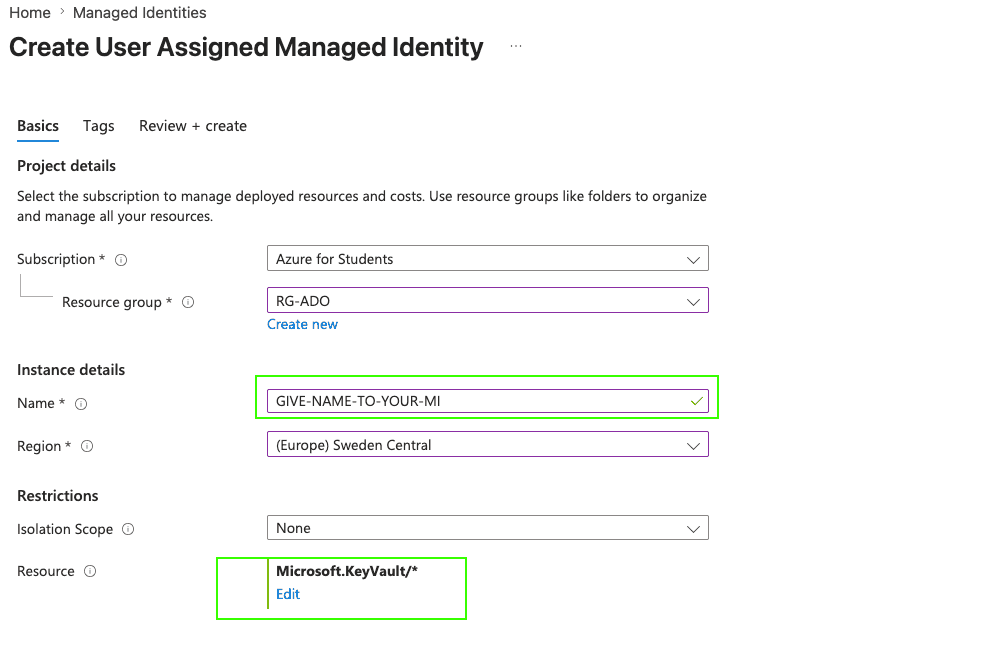
Add resources (specially, Key Vault) that this managed identity can read.
Create Azure Key Vault, and add your secrets:
I created Azure Key Vault using azcli as I was facing some policy issue on UI:
az keyvault create --location swedencentral --name KV-Kailaba-Core --resource-group RG-ADO

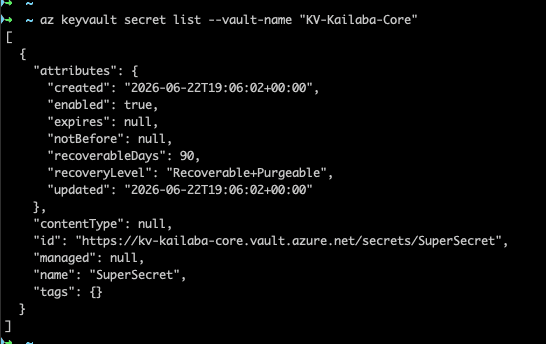
az keyvault secret list --vault-name "KV-Kailaba-Core"
I added SuperSecret secret object,
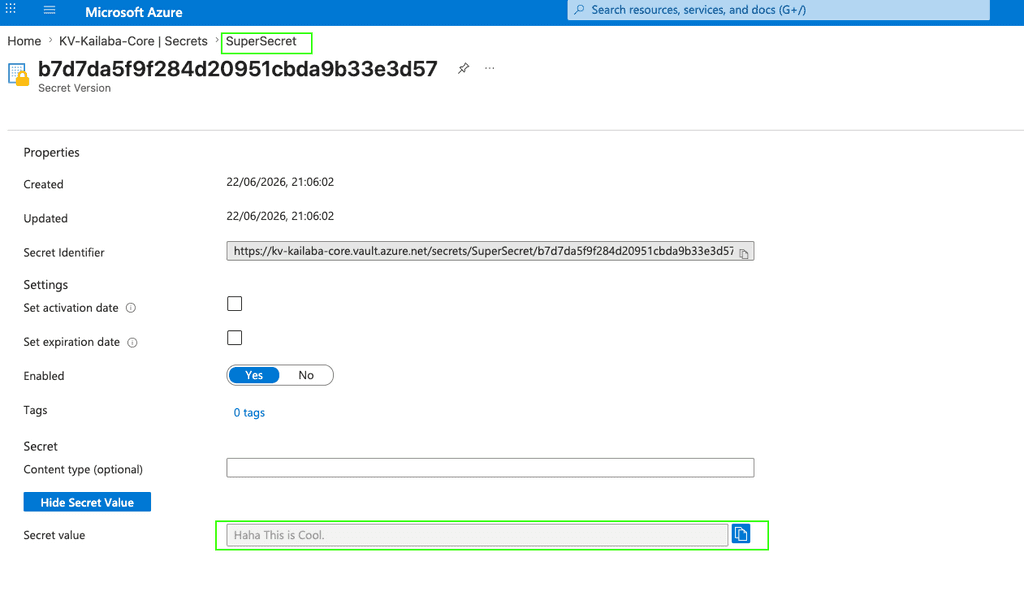
output:
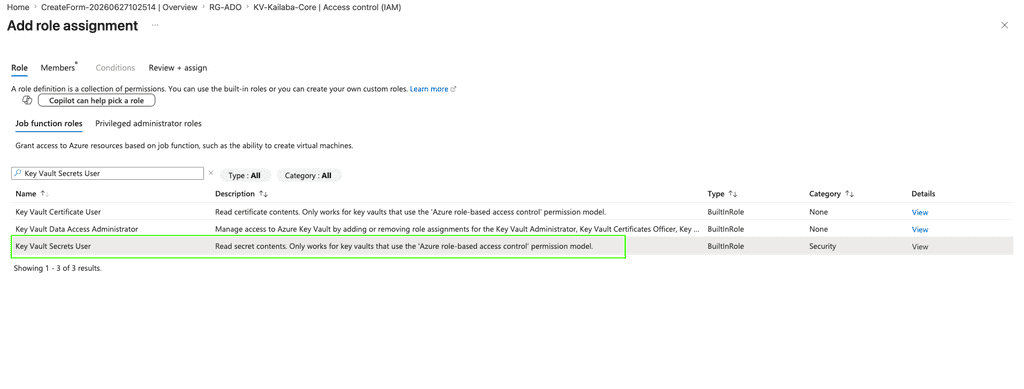
Assign Access to Managed Identity to read Key Vault Secrets:
Assign the `Key Vault Secrets User` built-in role to give access to Managed Identity to be able to read secret contents.
Select our Managed Identity as role-member:
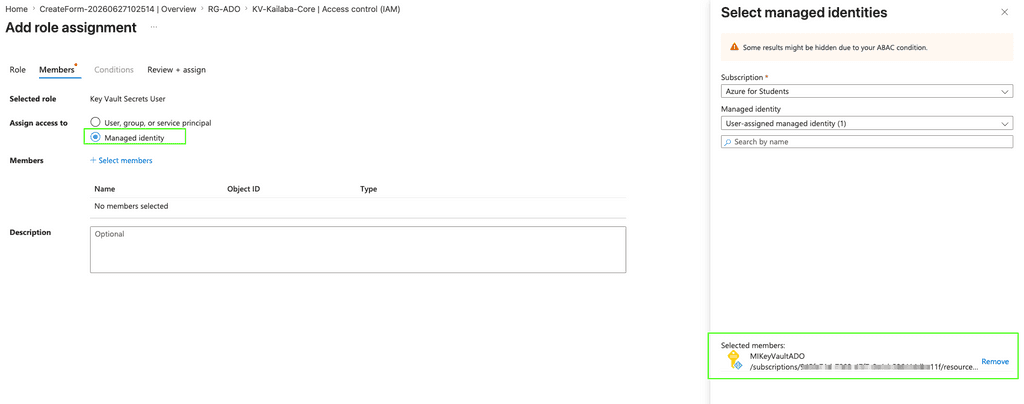
Now, let's go to Azure Devops side:
Create Azure Resource Manager on Azure DevOps Project settings using Managed Identity:
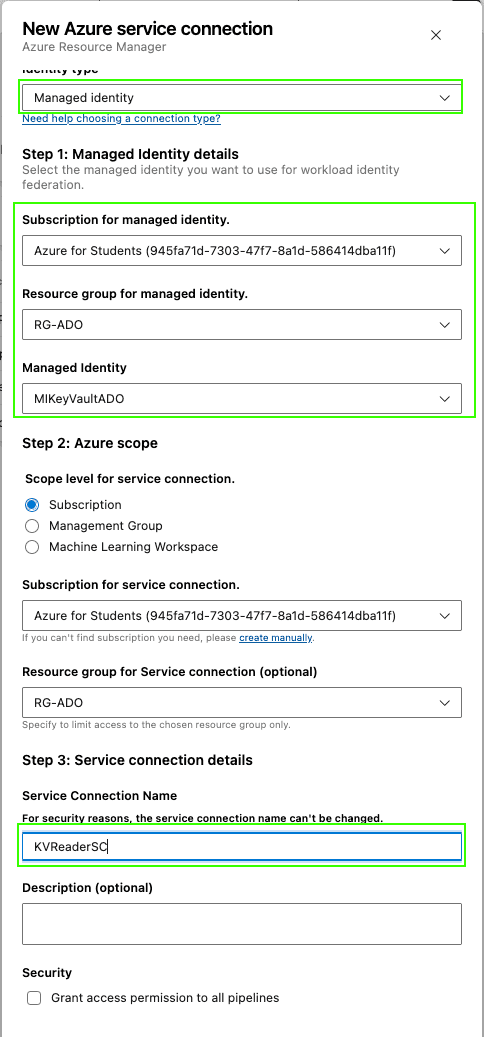
Add AzureKeyVault Task:
Now, adding AzureKeyVault task on our pipeline to fetch secrets from key vault:
name: $(date:yy).$(date:MMdd)$(rev:.r)

trigger:
- main

pool:
  vmImage: ubuntu-latest

steps:
  - task: AzureKeyVault@2
    inputs:
      azureSubscription: 'KVReaderSC'
      KeyVaultName: 'KV-Kailaba-Core'
      SecretsFilter: 'SuperSecret'
      RunAsPreJob: true

  - script: |
      echo "Printing fetched secret value"
      echo "================"
      echo "$(SuperSecret)"
      echo "================="
It triggers the pipeline if we commit on main. For the first time, if the service connection wasn't already permitted to all pipelines, it asks for permission.
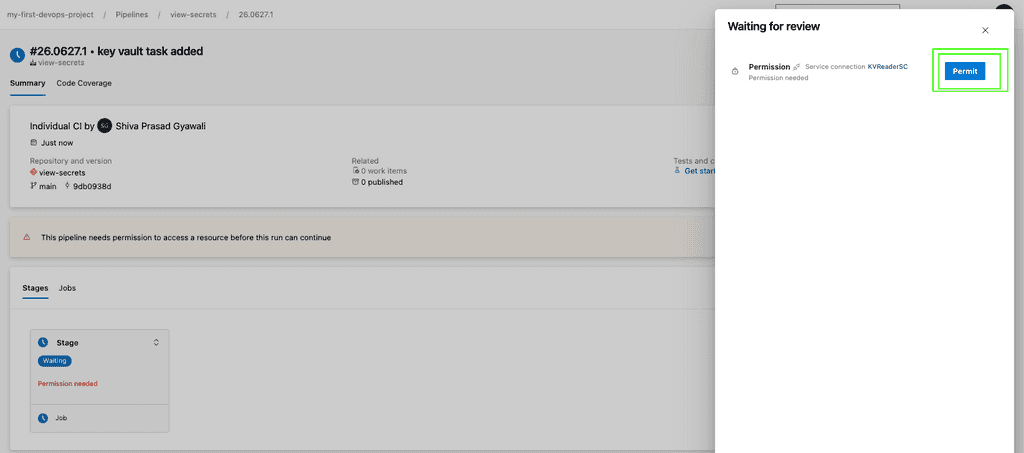
Let's check pipeline log:
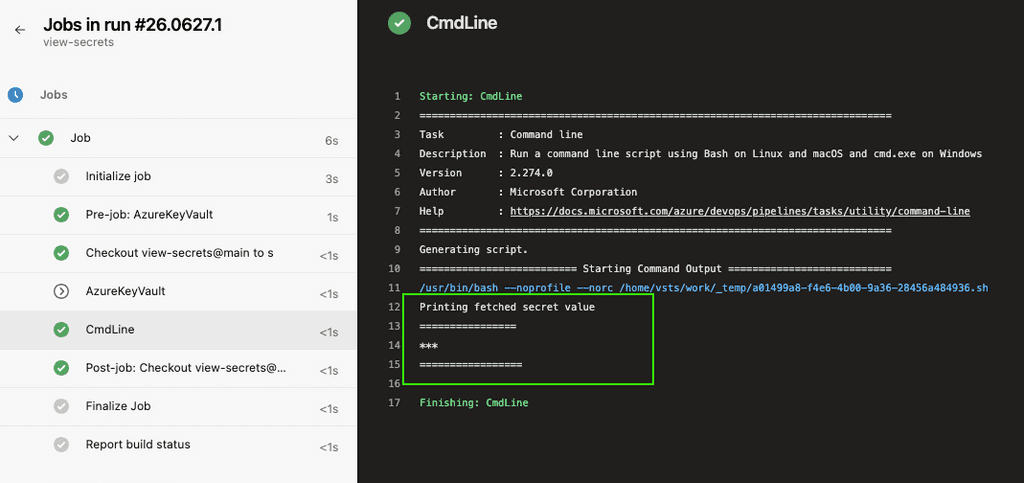
It shows secret as ***.
Now, let's add Run-time variable to override the secret variable:
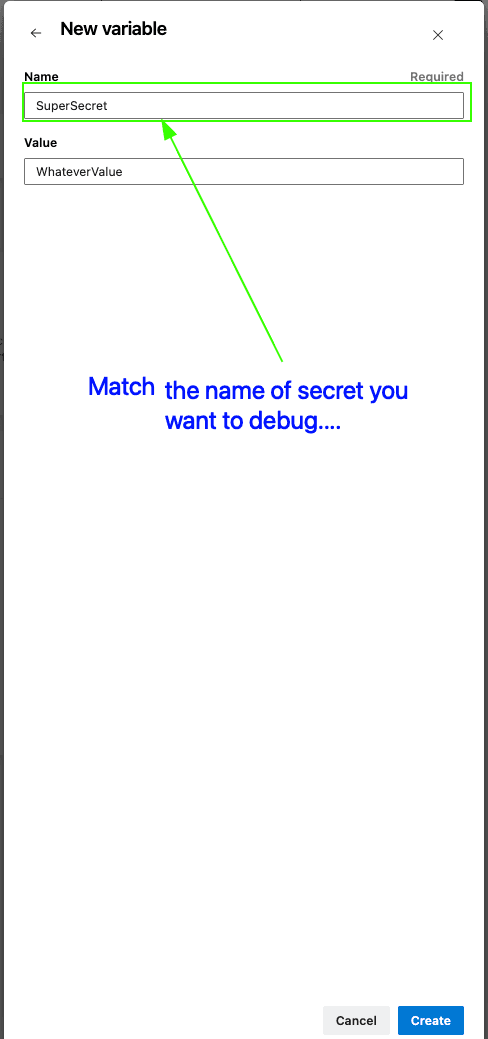
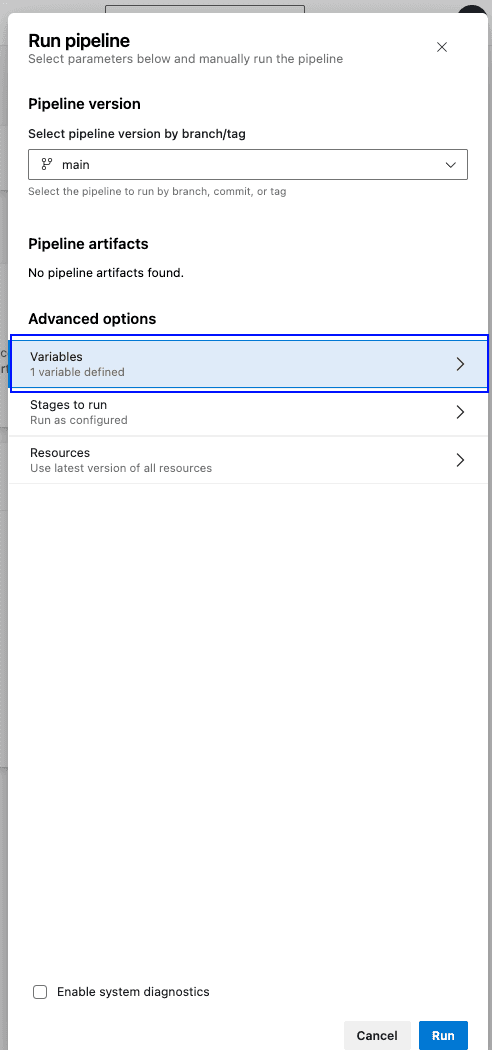
Run the pipeline with 1-variable defined (the one that you want to debug):
Voilaa... pipeline failed (that's what we want here..) and it shows the secret value it fetched.....
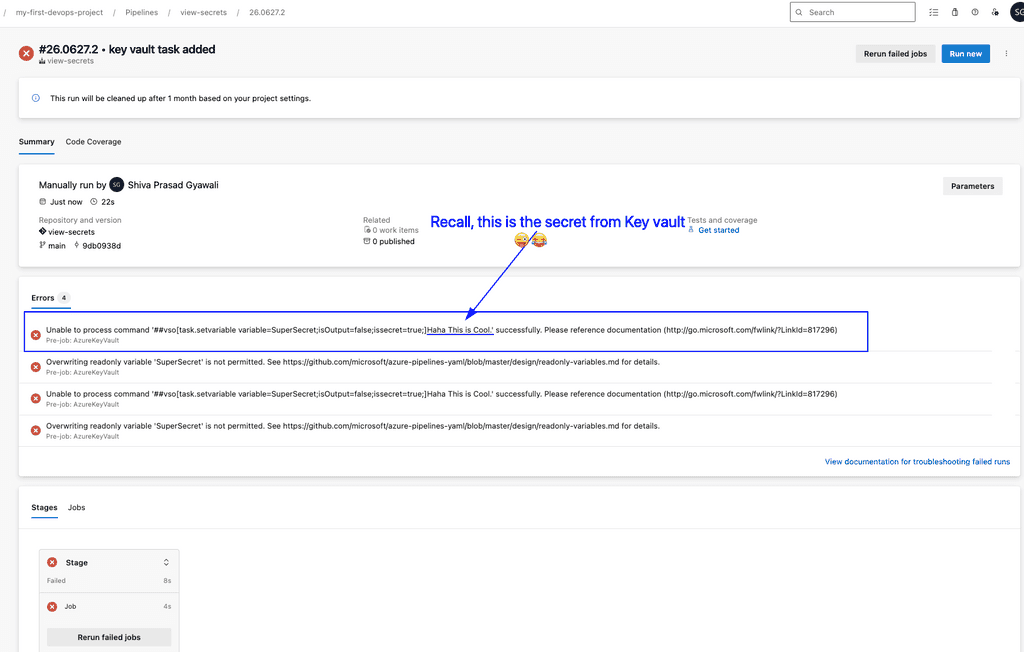
It complains that "Overwriting readonly variable 'SuperSecret' is not permitted." Bon, les gars, allez vite... tomate salade sans oignon... 😂😂 (this was exact my reaction, when I found this trick, I am not sure if I am the first one who got this idea :hehe)
Some other ways to see the value of secrets are discussed here:
- Split variable characters, or write out to a file: https://stackoverflow.com/questions/62299591/azure-pipelines-accessing-secret-variables
- Convert variable to ToCharArray(): https://www.koskila.net/how-to-output-the-value-of-a-secret-variable-in-azure-devops/
  - task: PowerShell@2
    inputs:
      targetType: 'inline'
      script: |
        # Get the string value of the secret
        $variableValue = "$(ClientSecret)"

        # Split the string into individual characters
        $characters = $variableValue.ToCharArray()

        Write-Host "My Secret Value:"
Write-Host $characters- Write to a file and publish file as artifact: https://praveenkumarsreeram.com/2022/11/27/azure-devops-tips-and-tricks-23-how-to-view-the-secret-variables-of-a-variable-group/
- He also faced issue like me, and so found a solution (write to a file and read): https://blog.robsewell.com/blog/when-you-really-want-to-see-your-azure-devops-secret-variable-values/
So, which approach should you use?
Since, my idea, of overriding the variable value, needs a special settings to be set OFF. If you already have this pre-requisite, or can do so by yourself, then, my idea will give you instant help. You don't need to do extra steps.
But, if you can't fulfil the pre-requisite, then, these alternative approach will still help you debug your issue.
Hope this helps. You can subscribe to my feed, or explore my Homelab, or get connected with me on different platforms. Happy reading :)