
Install ansible using HomeBrew:
`brew install ansible`
Verify installation by:
`ansible --version'
It shows:
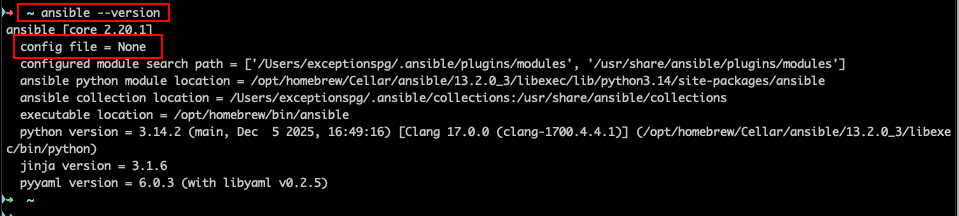
ansible --version
ansible [core 2.20.1]
  config file = None
  configured module search path = ['/Users/exceptionspg/.ansible/plugins/modules', '/usr/share/ansible/plugins/modules']
  ansible python module location = /opt/homebrew/Cellar/ansible/13.2.0_3/libexec/lib/python3.14/site-packages/ansible
  ansible collection location = /Users/exceptionspg/.ansible/collections:/usr/share/ansible/collections
  executable location = /opt/homebrew/bin/ansible
  python version = 3.14.2 (main, Dec  5 2025, 16:49:16) [Clang 17.0.0 (clang-1700.4.4.1)] (/opt/homebrew/Cellar/ansible/13.2.0_3/libexec/bin/python)
  jinja version = 3.1.6
  pyyaml version = 6.0.3 (with libyaml v0.2.5)
So, we don't have any configuration file.
Let's generate the default configuration file: (Check more here.)
ansible-config init --disabled -t all > ~/.ansible/ansible.cfg

OR,
ansible-config init --disabled > ~/.ansible/ansible.cfg
After generating config file, let's again check the version:
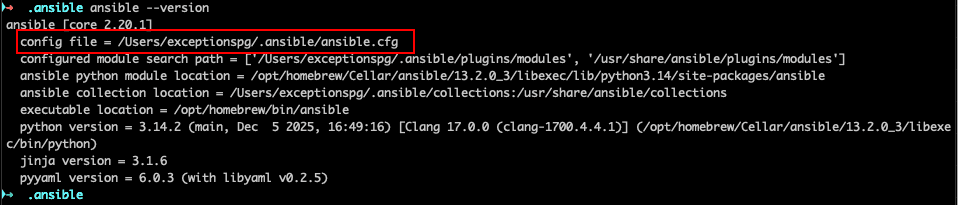
ansible --version
ansible [core 2.20.1]
  config file = /Users/exceptionspg/.ansible/ansible.cfg
  configured module search path = ['/Users/exceptionspg/.ansible/plugins/modules', '/usr/share/ansible/plugins/modules']
  ansible python module location = /opt/homebrew/Cellar/ansible/13.2.0_3/libexec/lib/python3.14/site-packages/ansible
  ansible collection location = /Users/exceptionspg/.ansible/collections:/usr/share/ansible/collections
  executable location = /opt/homebrew/bin/ansible
  python version = 3.14.2 (main, Dec  5 2025, 16:49:16) [Clang 17.0.0 (clang-1700.4.4.1)] (/opt/homebrew/Cellar/ansible/13.2.0_3/libexec/bin/python)
  jinja version = 3.1.6
  pyyaml version = 6.0.3 (with libyaml v0.2.5)
It shows our config file.
Let's first uncomment our inventory file in config file:
vi /Users/exceptionspg/.ansible/ansible.cfg

[search for /inventory then, put our hosts file as inventory]
We can add our hosts to ~/.ansible/hosts file (which is inventory file). Be careful on putting user, otherwise it may fail.
cat hosts
[demo]
192.168.64.6 		ansible_user=ubuntu


[kailaba]
kailaba.com 		ansible_user=kailabac
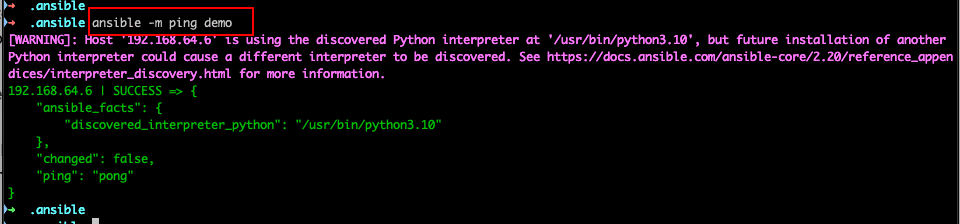
After this, we can test our setup with:
`ansible -m ping demo`
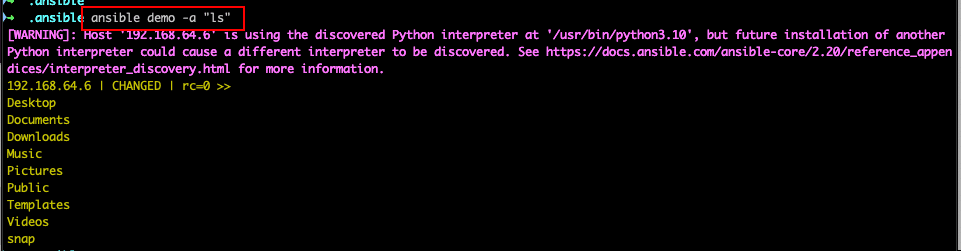
We can list out files/directory using "ls" commands:
`ansible demo -a "ls"
If you are getting output:
ansible all --list-hosts [WARNING]: No inventory was parsed, only implicit localhost is available [WARNING]: provided hosts list is empty, only localhost is available. Note that the implicit localhost does not match 'all'
This might be because of config again shown as None.
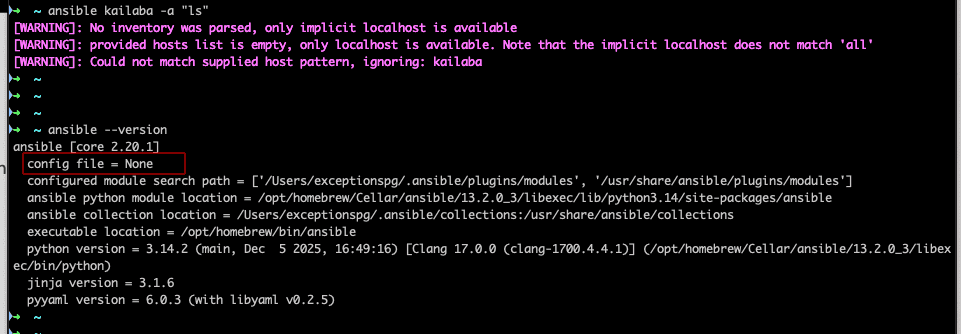
I accessed ansible few days later, and again the None was shown for the config file.
If you don't have already generated the config file, generate one:
#generate a fully commented-out example ansible.cfg file,
ansible-config init --disabled > ansible.cfg

#more complete file that includes existing plugins:
ansible-config init --disabled -t all > ansible.cfg
OR, easiest way to do is, to set ANSIBLE_CONFIG environment variable with path of our config file.
export [ANSIBLE_CONFIG](https://docs.ansible.com/projects/ansible/latest/reference_appendices/config.html#envvar-ANSIBLE_CONFIG)=~/.ansible/ansible.cfg
For permanent changes, add this line to our .bashrc or .zshrc file:
vi ~/.zshrc or ~/.bashrc

# Add this line at the end
export ANSIBLE_CONFIG=~/.ansible/ansible.cfg


# set new file as source
source ~/.zshrc
Now, the warning should be gone.