
Okay, you want to move your domain from one cloudflare account to another.
My scenario:
- domain registered (registrar) with third-party (not cloudflare, precisely, register.com.np)
- Have onboarded on Siddhibuddhipujapasal's cloudflare's account.
- Want to move to ShivaGyawali's Cloudflare account
Voila, here are the three stpes:
(okay, before I share you steps, let's fix on terminologies: siddhi CF is our old CF where our domain is registered, SG CF is where we want to move (new account) to. Register.com.np is our registrar (i know it's redundant information, mais on s'en fout ;) )
- Log into your new (SG CF) CF account, and Add your domain as if it is adding new domain.
- Log into your Registrar (register.com.np), and update your Nameservers from your new CF account.
- wait, until nameserver changes take effect and DNS propagates.
Long story...., once upon a time,
1. Log into your SG CF (new), and add domain:
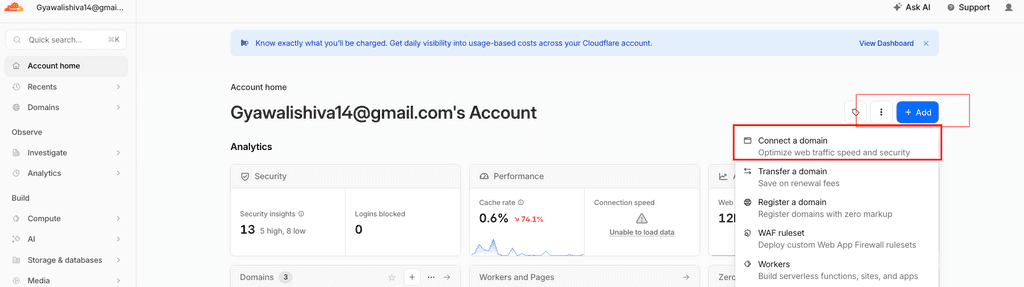
I assume, if you want to move, definitely, you have already registered domain nah?
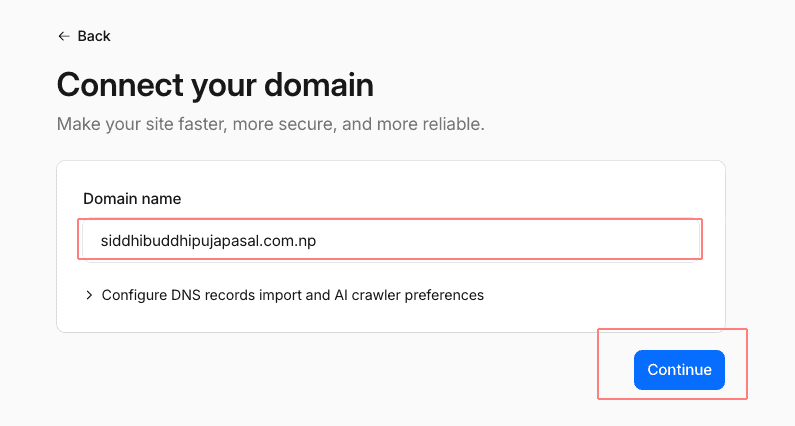
Enter your domain name, eg: siddhibuddhipujapasal.com.np
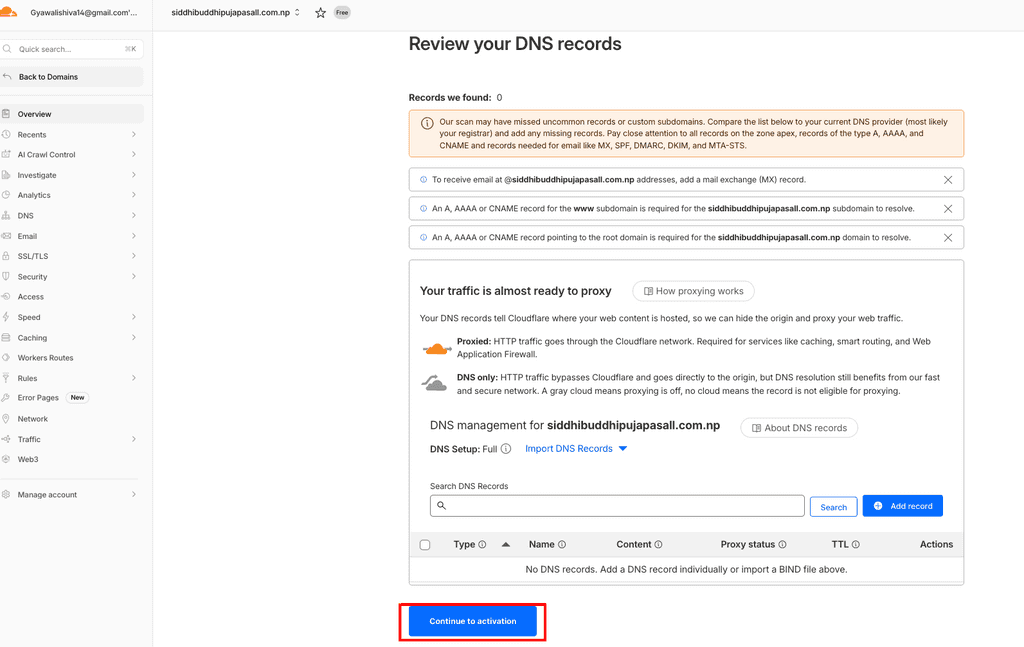
Now, review DNS (if it imports/shows), or choose to set up DNS later:
It will ask you to update your nameservers, Note down:
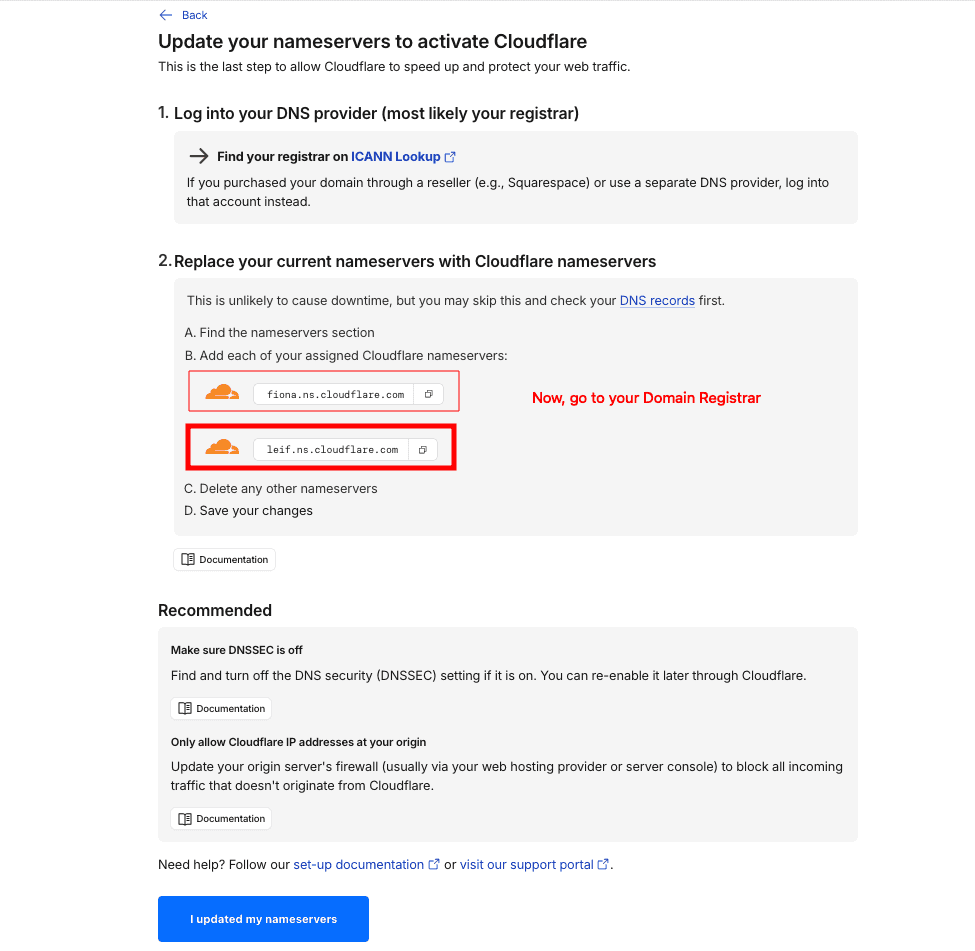
Now, it's time to point your domain to this new name servers, boom, let's goooo....
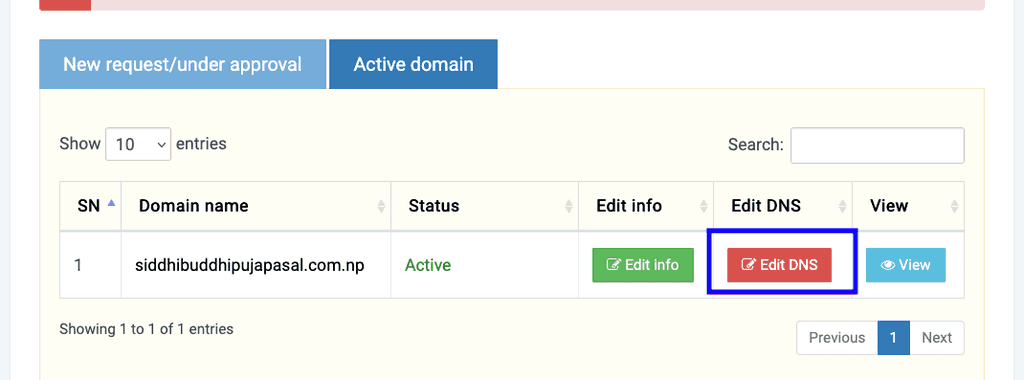
2. Log into your Domain Registrar
and, click on Edit DNS (you should be able to find, anyway)
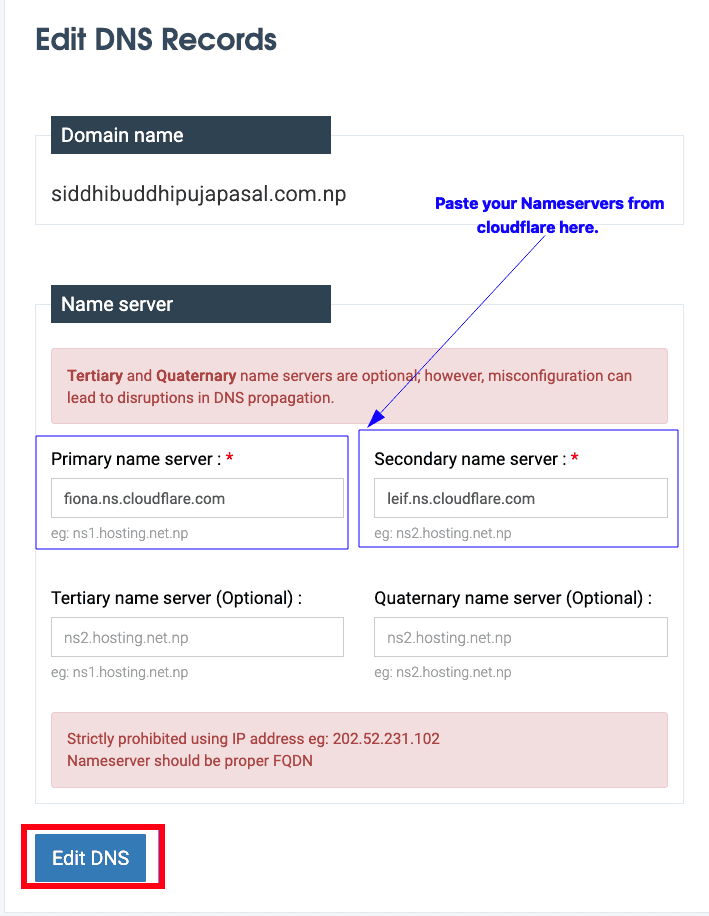
This might look different, depending on your registrar
Replace your current nameserver with your new Cloudlfare's nameserver:
After you updated nameservers on your registrar, let's inform cloudflare:
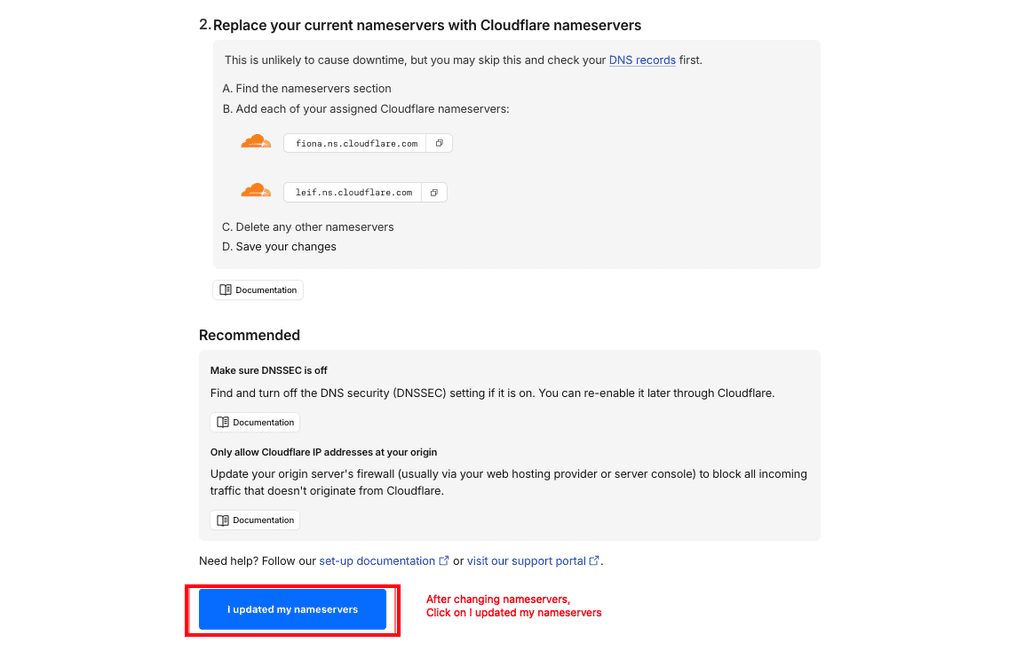
Done for step 2, let's go to step 3.
- wait, until your DNS upate takes effect and propagates.
Now, around after 24-48 hours, check your new CF dashboard, to see the status:
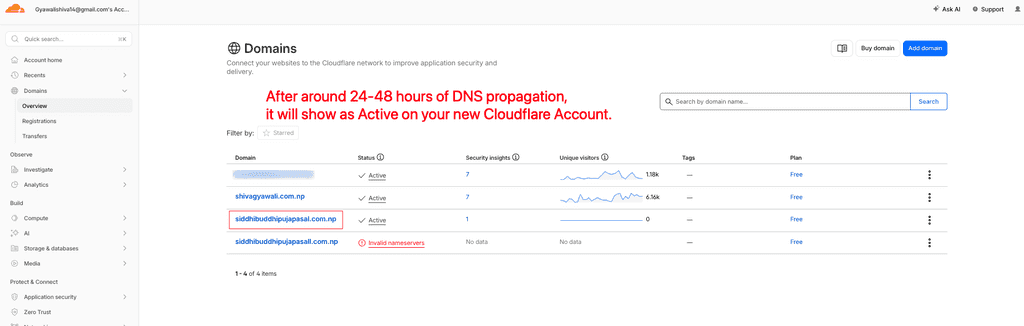
Cool, it shows Active (this means? voilaaaa, we have moved our domain to this new account.)
Still in doubt?
okay, let's verify by checking domain on our old account:
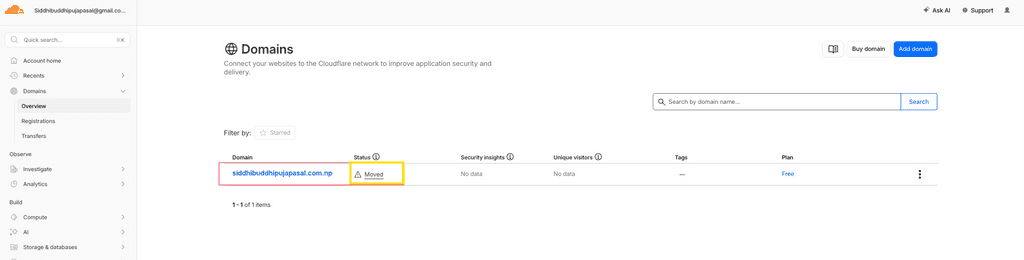
See, it shows moved.
Great, you just moved your domain to new cloudflare account from another one.
quoi? ahh, invalid nameservers?
yes, if Cloudflare couldn't verify your domain that whether it is pointing to cloudflare, then it will show invalid nameservers. In my case, this domain doesn't exist, I just put it randomly to show you, this siddhibuddhipujapasall has double ll.
Anyway, you know why I moved this domain to my personal account?
To host it from my Raspberry PI using Cloudflare Tunnel.
what is Cloudflare tunnel? okay, know here: