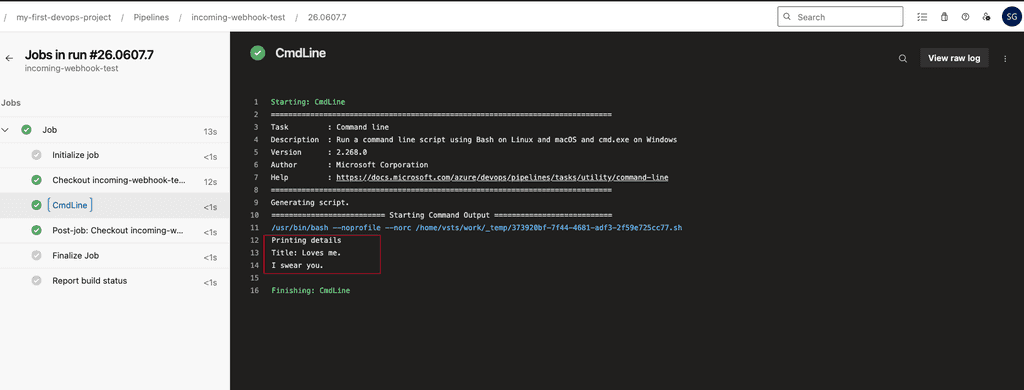
We want to trigger Azure Devops pipeline by incoming webhooks.
Okay, but not only that, we will trigger pipeline with webhooks from any arbitrary program fed into azure webhooks endpoint to trigger pipeline. (you will get it soon :))
Steps:
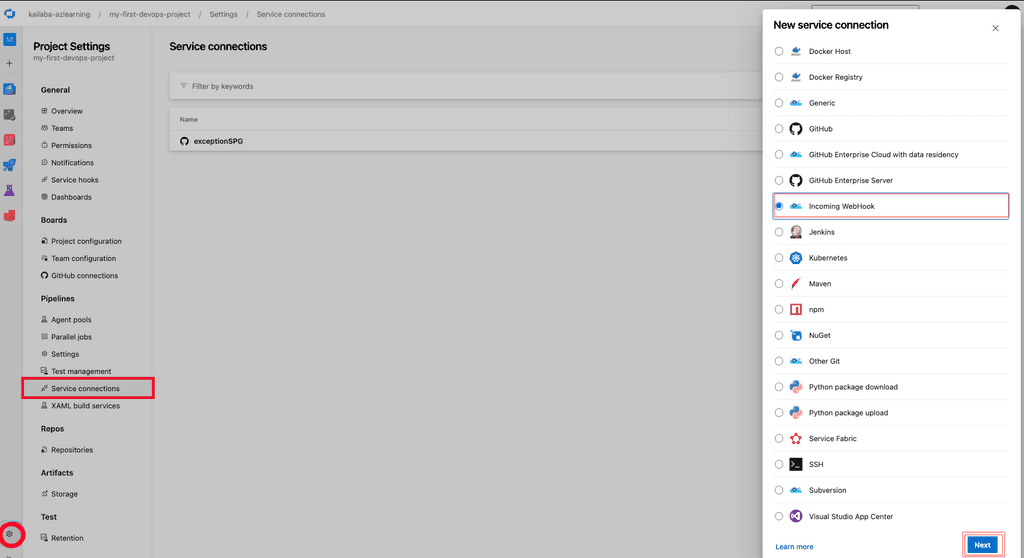
- Create Incoming webhooks in Project Settings --> Service Connection --> New Service Connection --> Choose Incoming Webhooks
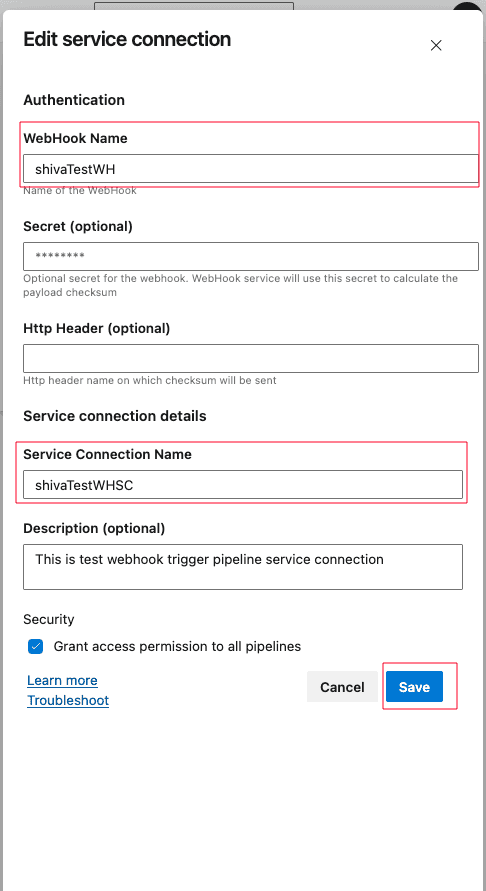
- Fill in details, and then save. Note down your service connection name and webhook name:
- Now, write a simple azure-pipelines.yml to use this webhook as resource:
name: $(date:yy).$(date:MMdd)$(rev:.r)

trigger: none

resources:
  webhooks:
    - webhook: "shivaTestWH"
      connection: "shivaTestWHSC"

steps:
- script: |
    echo ${{ parameters.shivaTestWH.resource.message.title }}
    echo "Printing details"
    echo ${{ parameters.shivaTestWH.resource.message.title }}
Even if we set trigger to none, it will be triggered by webhooks.
- Now, prepare your payload and send the POST request:
Payload:
Tricky part is this, as azure devops incoming webhooks resource assumes (by default) the structure of payload (body) to be received as this:
{
    "resource": {
        "message": {
            "title": "Hello, world!",
            "subtitle": "I\'m using WebHooks!"
        }
    }
}
But, you can pass any structure of your JSON Body for request, and use the values in your pipeline accordingly.
Even, you can set some filters in your webhook resource to trigger pipeline only when the received webhook payload matches the filter you set.
We will see using different payload and filter later.
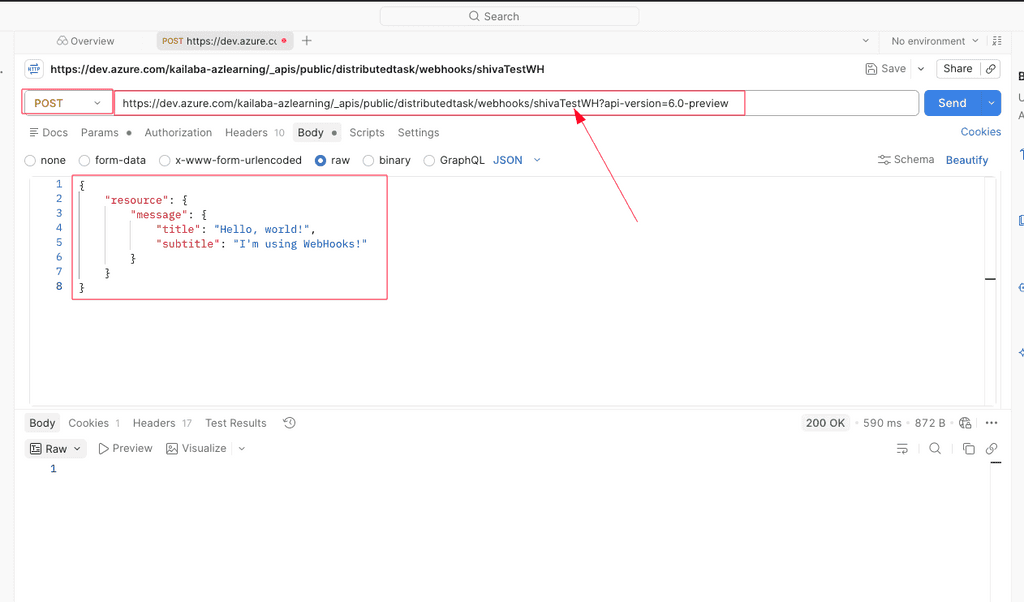
Send this payload to:
https://dev.azure.com/ORG_NAME/_apis/public/distributedtask/webhooks/WEBHOOKNAME?api-version=6.0-previewHere is sample call using Postman:
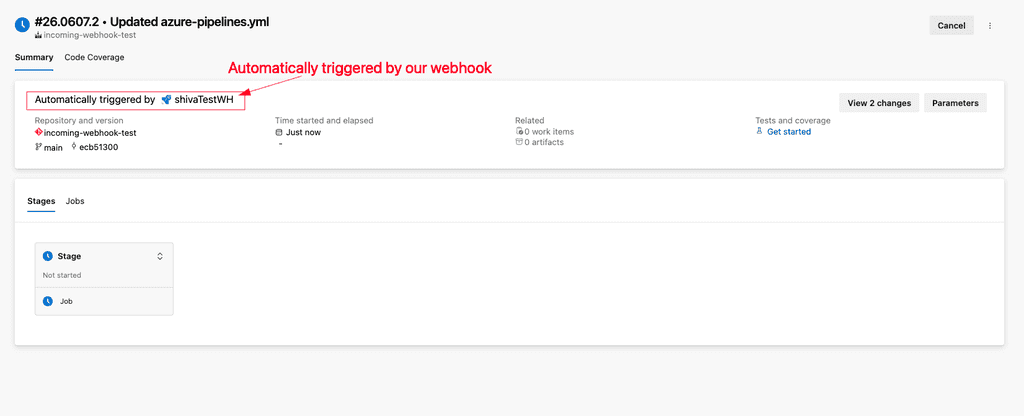
- Pipeline triggered automatically by webhook
Once you hit the send button for your POST request, it should trigger the pipeline.
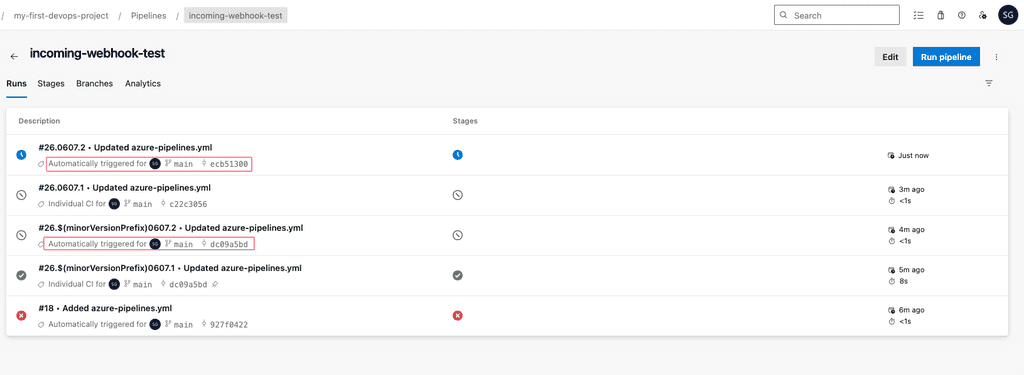
Let's check the details of a pipeline.
Let's use a different payload structure:
#
name: $(date:yy).$(date:MMdd)$(rev:.r)

trigger: none

resources:
  webhooks:
    - webhook: "shivaTestWH"
      connection: "shivaTestWHSC"

steps:
# {
#    "my": {
#        "boss": {
#            "title": "Loves me.",
#            "sub": "I swear you."
#        }
#    }
# }
#
#

- script: |
    echo "Printing details"
    echo "Title:" ${{ parameters.shivaTestWH.my.boss.title }}
    echo ${{ parameters.shivaTestWH.my.boss.sub }}
This is important when we can't change/modify the structure of payload (cases where we directly want to feed webhook request by some other system, such as Webhooks from SonarQube analysis).