
Hey Champions, Have you ever felt pain on executing your script?
Here we go. We will create one line command for our Lastly created password generate and save to Google sheet script.
For this, I am storing this script at my VPS hosting, so that I can access it from anywhere at any moment in the universe.
We will create an Alias record which will execute our python code. For this, we need python environment to be activated, so that our script can actually import gspread.
So, here is the catch. We will do 3 step job on single command. Jobs to be done are:
- Activate the virtual env with which our script can run successfully.
- Execute the script.
- Deactivate our virtual env
Let's open and edit our bashrc file. vi ~/.bashrc:
# Add this record at the end of our .bashrc file
alias passgen='source /home/path/to/my/env/bin/activate && python /home/path/to/myScripts/passgen-and-save-to-sheet.py && deactivate'
Save and exit: :wq
Now, after editing our .bashrc file, Either restart session, or source ~/.bashrc
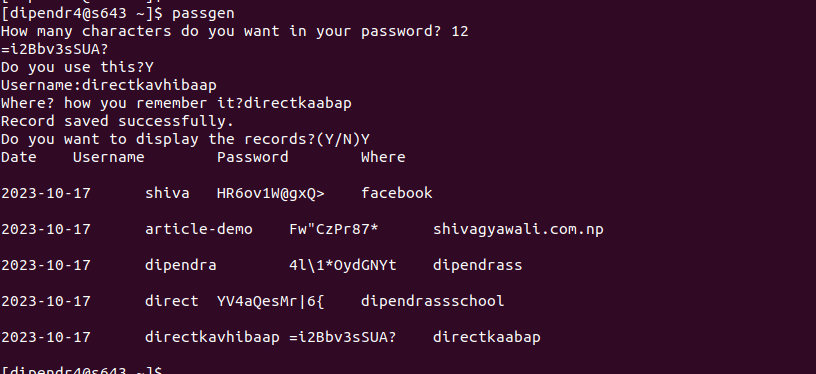
Now, we can call passgen from anywhere in our server, and this will execute our python script. So we can generate and use random password, which will automatically be saved to google sheet. Banggg..
Sample output:
Enjoy Learning.
Happy Learning!!!!!
``